
Before you buy another serum, scan your routine.
Check a product against your skin, hair, and existing routine before it joins your shelf, so each purchase is an informed decision instead of a small gamble you pay for twice.
- Check fit first
- Reads your whole routine
- iPhone & Android
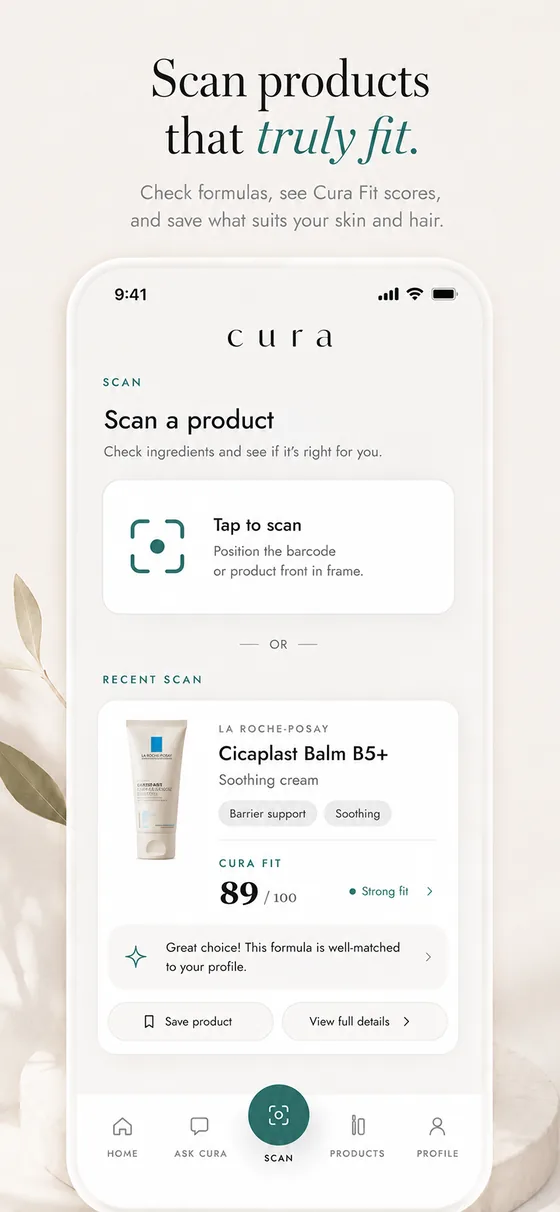
Why scanning before you buy works.
What does scanning before buying do?
It reads a product against your profile and your existing routine, so you can see whether it suits you and whether you already own something that does the same job.
Why does that matter?
Most regret in skincare is a product that did not suit you, or one that duplicated what you already had. A quick check removes both.
Does it work in a shop?
Yes. Scan a barcode or photograph a label on the shelf and read it against your profile before you decide.
A ten-second check at the shelf.
Scan the product
Barcode or label, in the shop or at home.
See the fit
MyCura reads it against your skin, hair, and routine.
Decide with reasons
Buy it, skip it, or see what you already own that overlaps.
The thinking behind buying less, better.
Common questions
Does it cover haircare?
Yes. Hair products are read against your hair profile too.
Which devices is it on?
MyCura is available on iPhone via the App Store and on Android via Google Play.
Is it free?
MyCura is free to start. A paid membership unlocks the full set of features.
Is MyCura a medical app?
No. MyCura is not a medical device and does not diagnose, treat, cure, or prevent any condition. For anything that needs a clinician, see one.